

Corporate Meeting AV Setup Checklist for Large Events
A successful corporate event depends on more than microphones, screens, and lighting. As events grow larger and more complex, audiovisual services for corporate events become less about equipment and more about planning, coordination, and execution.
When production requirements are overlooked, issues such as audio failures, presentation delays, poor visibility, and inconsistent breakout experiences can impact both presenters and attendees.
This corporate meeting AV setup checklist covers the key production, logistics, and technology considerations planners should evaluate before show day.
Why Large Corporate Events Need More Than Basic AV Support
Not all events have the same AV requirements.
A single-day meeting with one presenter and a screen is very different from a multi-day conference with general sessions, breakout tracks, sponsor activations, networking events, and dozens of presenters.
As events grow in size and complexity, conference AV production becomes less about equipment and more about coordinating people, content, technology, and logistics.
Large corporate events often involve:
- Multiple meeting spaces
- Concurrent breakout sessions
- Dozens of presenters and presentation files
- Sponsor and exhibitor requirements
- Ongoing content updates
- Multi-day conference AV logistics
Without a coordinated approach, even small communication gaps can impact the attendee experience.
That’s why successful corporate meeting AV setup starts long before show day. The most effective events align production strategy, content planning, venue logistics, and technical execution to help ensure every session runs smoothly.
Corporate Meeting AV Setup Checklist
1. Define General Session Requirements
The general session is often the centerpiece of a corporate meeting or conference. It typically involves the largest audience, the most content, and the highest production demands.
Before selecting equipment, planners should evaluate:
- Audience size and seating layout
- Room dimensions and sightlines
- Screen size or LED wall requirements
- Confidence monitors for presenters
- Keynote presentation formats
- Live camera feeds and IMAG support
- Livestreaming or hybrid event requirements
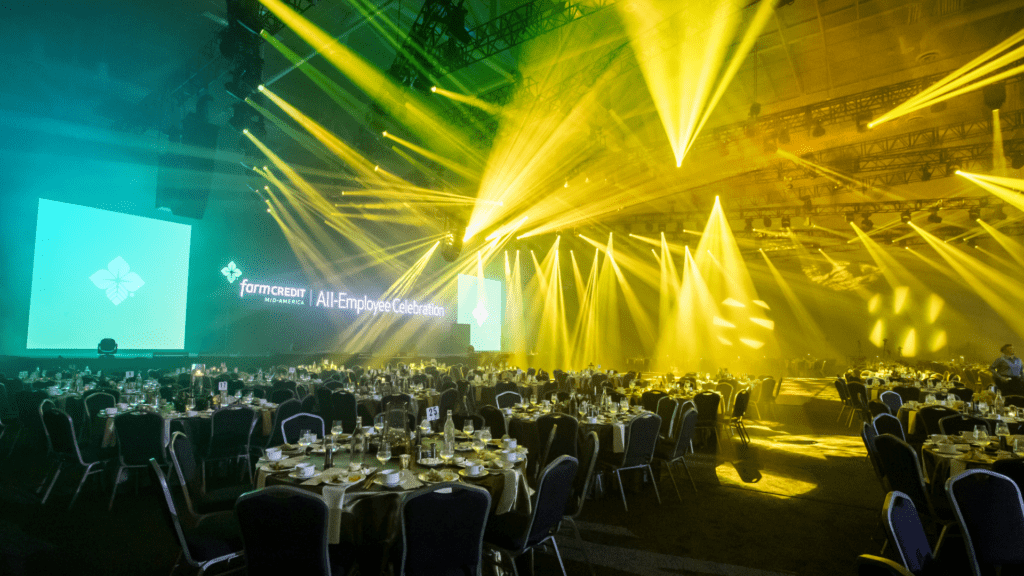
At the Farm Credit Mid-America All Employee Meeting, Vario supported a business meeting for 1,500 employees and an evening celebration for 2,500 employees and guests. The production featured a 100-foot-wide curved LED wall, additional LED displays, and IMAG support. With 2,500 people seated at rounds across a 100,000-square-foot space, it was essential that every attendee come away with the same experience, regardless of where they were seated.
2. Evaluate Sound Reinforcement Requirements
Reliable audio is one of the most important components of any event experience.
Attendees may overlook stage design or visuals, but they immediately notice when they cannot clearly hear a presenter. Audio issues are often one of the main reasons corporate events feel unprofessional.
When evaluating sound reinforcement requirements, planners should consider:
- Room acoustics and ceiling height
- Audience size and seating configuration
- Audio coverage throughout the space
- Wireless microphone requirements
- Panel discussions and moderator needs
- Audience Q&A participation
- Video playback and multimedia content
This is also one of the primary reasons corporate events struggle with reliable audio-visual services. Audio systems that work well in one venue may not perform the same way in another due to room layout, audience size, and event format.
3. Plan Lighting for Visibility and Engagement
Lighting helps direct audience attention, reinforce branding, support video capture, and create a more engaging event experience.
Key lighting considerations include:
- Stage wash lighting for presenter visibility
- Audience lighting for engagement and interaction
- Branded lighting elements and color schemes
- Camera and livestreaming requirements
- Scenic and environmental lighting
- Lighting transitions between sessions and content segments
As part of a comprehensive live event sound and lighting strategy, planners should consider how lighting supports both content delivery and the attendee experience. Well-executed lighting helps presenters feel confident on stage, improves audience focus, and contributes to a more polished event environment.
4. Review Staging and Scenic Requirements
Staging plays a major role in how attendees experience your event and engage with your content.
When evaluating event staging and video projection requirements, consider:
- Audience sightlines from all seating areas
- Presenter movement and stage access
- ADA accessibility requirements
- Branding integration and sponsor visibility
- Scenic design elements
- Screen placement and projection visibility
- LED wall and display positioning
A well-designed stage should support both the event goals and the attendee experience. For additional stage planning considerations, visit our guide on how to design a stage for an event.
5. Coordinate Video Projection and Content Management
Content management is often one of the most overlooked aspects of conference AV production.
Presentations, videos, graphics, live camera feeds, and sponsor content all need to be delivered accurately and at the right moment.
When planning video projection and content workflows, consider:
- Presentation collection and submission deadlines
- Version control processes
- Video and multimedia playback testing
- Live camera feeds and IMAG support
- Presentation updates and approvals
- Content backup and redundancy plans
Without a clear process, last-minute updates, outdated files, or unsupported formats can quickly create unnecessary stress for presenters and production teams.
6. Prepare Breakout Room AV Requirements
While general sessions often receive the most attention, breakout rooms are where much of the attendee learning and engagement takes place.
When planning breakout room AV requirements, consider:
- Multiple breakout tracks and concurrent sessions
- Consistent audio and visual experiences across rooms
- Presenter support and presentation management
- Technician coverage and onsite troubleshooting
- Room-specific audience and content requirements
- Session recording or livestreaming needs
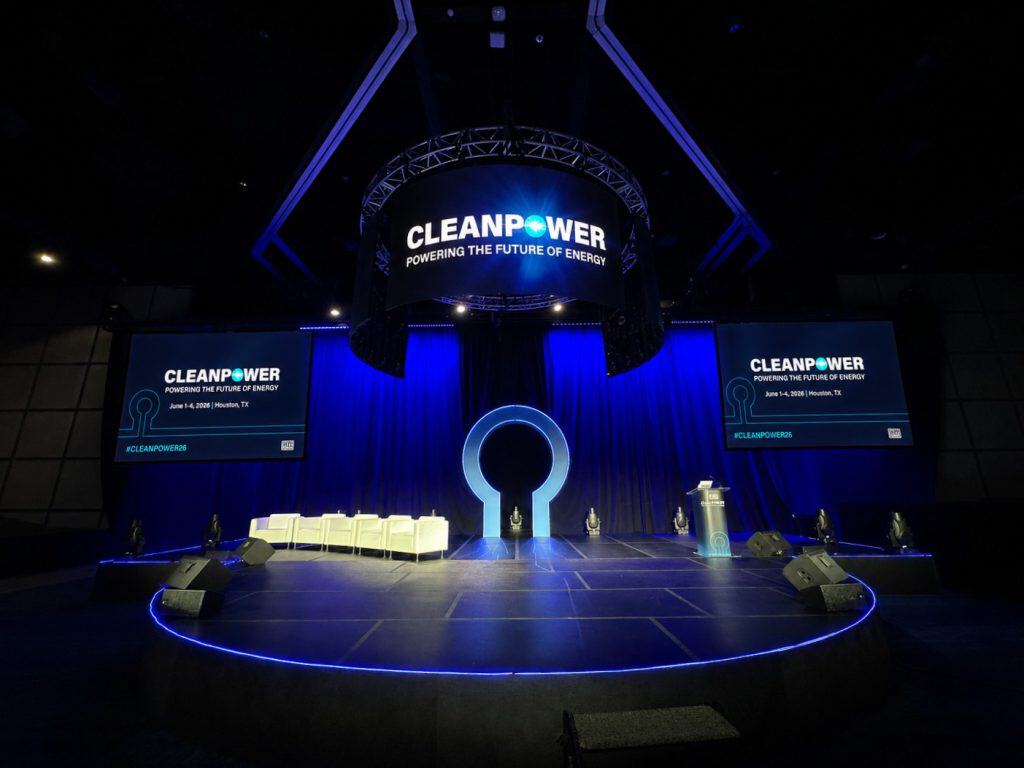
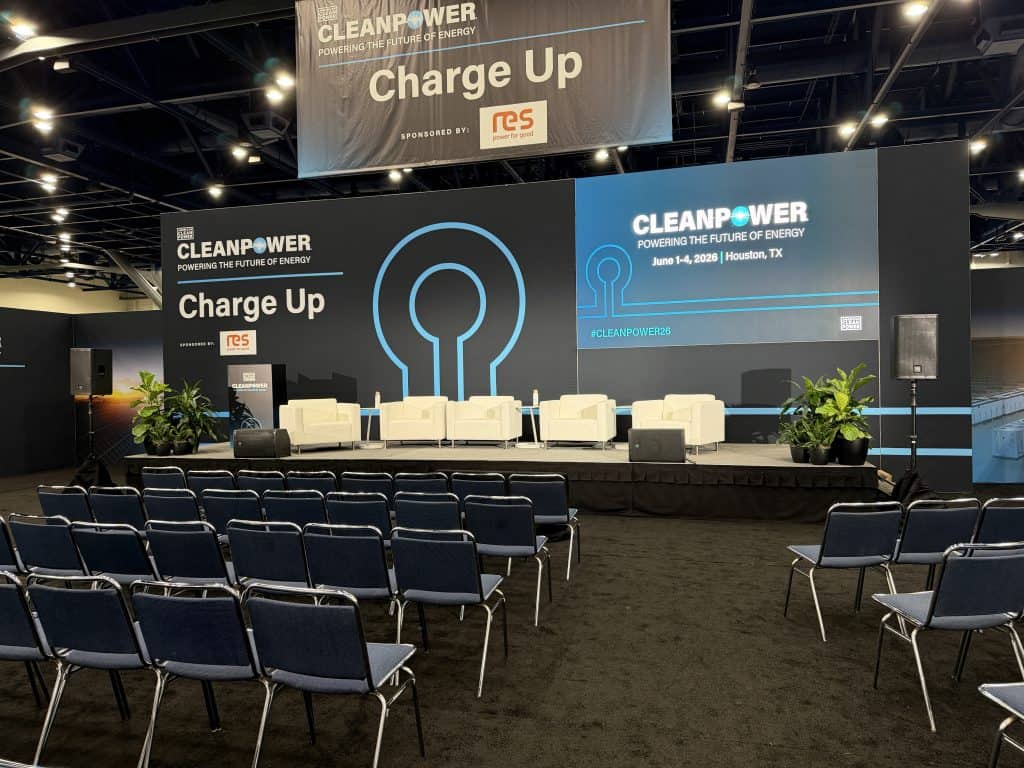
Vario has partnered with the American Clean Power Association (ACP) across multiple conferences and events over several years, including CLEANPOWER Conference & Exhibition. In 2026, the event welcomed more than 8,000 attendees, 500 exhibitors, and 200 presenters from across the clean energy industry. Events of this scale require coordinated AV support across educational sessions, meeting spaces, networking environments, and concurrent programming. Maintaining consistency across multiple rooms and event environments depends on standardized processes, dedicated technical support, and clear communication between production teams.
7. Build an On-Site Troubleshooting Plan
Even the most detailed production plan should account for the unexpected.
Presentation files get updated. Schedules shift. Presenters request last-minute changes. How quickly these issues are addressed can significantly impact the attendee experience.
To support reliable AV support and troubleshooting, event planners should establish a clear plan for:
- Last-minute presentation and content updates
- Backup equipment and redundancy measures
- Dedicated onsite technical support
- Presenter requests and presentation assistance
- Communication protocols between teams
- Real-time issue resolution and escalation
The goal is not to eliminate every issue. It’s to ensure the right people, processes, and resources are in place to address challenges before attendees notice them.
8. Plan for Multi-Day Conference Logistics
As conferences extend across multiple days, AV planning becomes increasingly complex. Production teams must manage people, schedules, content, and room operations while maintaining a consistent attendee experience throughout the event.
Effective multi-day conference AV logistics require coordination of:
- Rehearsals and presenter preparation
- Crew scheduling and shift management
- Equipment deployment and tracking
- Presentation and content updates
- Room turnovers between sessions
- Labor coordination and venue requirements
- Communication between production teams and event stakeholders
Addressing conference logistics early helps reduce operational risk, improve efficiency, and create a more seamless experience for presenters, sponsors, and attendees.
Common Corporate Meeting AV Mistakes
Even well-planned events can encounter challenges when key production considerations are overlooked. These are some of the most common AV mistakes at corporate meetings and conferences.
Treating AV as a Last-Minute Decision
One of the most common mistakes event planners make is treating AV as something that can be finalized after the venue, agenda, and presenters have been confirmed.
Production decisions impact room layouts, stage design, content delivery, attendee engagement, and budget planning. Bringing your AV partner into the planning process early helps identify risks, clarify requirements, and avoid unnecessary challenges later.
Underestimating Audio Requirements
Audio issues are among the fastest ways to affect attendee engagement and event professionalism.
Room acoustics, audience size, seating layouts, presentation formats, and venue design all influence how sound performs within a space. Proper sound reinforcement planning helps ensure every attendee can clearly hear presenters, regardless of where they are seated.
Planning General Session and Breakouts Separately
Attendees experience the event as a whole, not as individual rooms.
Inconsistent audio quality, presentation support, or technical execution between general sessions and breakouts can create a fragmented experience. Planning all event spaces as part of a unified production strategy helps create a more cohesive conference experience.
Skipping Rehearsals
Rehearsals are one of the most effective ways to reduce risk before show day.
They provide an opportunity to test presentations, verify video playback, review stage movements, and identify potential issues before attendees arrive. The time invested in a rehearsal is often far less than the time required to resolve preventable issues during a live event.
Not Having Dedicated Technical Support
Technology alone does not keep events running smoothly. People do.
Even with detailed planning, last-minute presentation updates, presenter requests, and schedule changes happen. Dedicated technical support helps resolve issues quickly, support presenters, and maintain a seamless attendee experience throughout the event.
What Audio-Visual Services Are Needed for Corporate Events?
Most corporate events rely on multiple production services working together to support content delivery, attendee engagement, and event execution.
Audio
Audio systems help ensure presenters, panelists, videos, and audience interactions can be clearly heard throughout the venue. This typically includes microphones, speakers, audio mixing, and audience Q&A support.
Lighting
Event lighting improves presenter visibility, supports branding, and enhances audience engagement. Lighting can range from basic stage wash to fully customized designs for keynote sessions and special events.
Video Projection
Video projection displays presentations, videos, graphics, and live content to attendees. Screen size and placement should be planned based on room dimensions and audience size.
LED Displays
LED walls and displays provide high-impact visual experiences for general sessions, keynote presentations, and large-scale events where projection alone may not be sufficient.
Staging
Staging creates the physical environment where presenters deliver content and attendees engage with the program. Effective stage design considers sightlines, accessibility, branding, and presenter movement.
Scenic Design
Scenic elements bring an event’s brand, theme, and messaging to life through custom sets, branded environments, backdrops, and other visual elements.
Content Management
Content management includes collecting presentations, managing file versions, testing videos, and coordinating presenter content. It is one of the most important yet often overlooked aspects of conference AV production.
Technical Direction
Technical directors oversee event execution, coordinate production teams, and help ensure all technical systems work together as planned.
Show Calling
Show callers manage the timing and flow of live events by coordinating cues between presenters, video operators, lighting teams, audio engineers, and other production staff.
On-Site Support
On-site support provides real-time assistance for presenters, content updates, troubleshooting, and operational changes to help maintain a seamless event experience.
Together, these services form the foundation of successful conference AV production.
Final Thoughts
Successful conference AV production starts long before equipment arrives onsite.
The most successful corporate events treat AV as a strategic component of the event, not just a technical service. Strong planning helps align production strategy, venue logistics, and event goals while reducing risk and improving execution.
The most successful events aren’t remembered for the technology behind them. They’re remembered because everything worked together seamlessly.
Planning a Corporate Meeting or Multi-Day Conference?
Vario helps organizations align strategy, technology, and execution from the start. From general sessions and breakout environments to content management and onsite production support, our team helps create seamless event experiences for planners, presenters, and attendees.
Frequently Asked Questions
What audio-visual services do companies use for corporate events?
Most corporate events use audio, lighting, video projection, LED displays, staging, content management, technical direction, and onsite support to deliver content and support attendee engagement.
What AV equipment is needed for a conference?
Common conference AV equipment includes microphones, speakers, audio mixers, screens or LED walls, presentation systems, lighting, confidence monitors, and live camera feeds.
Why do corporate events struggle with reliable audio-visual services?
Most AV challenges stem from late planning, unclear requirements, or poor communication. Room acoustics, audience size, venue logistics, and content management can all impact performance.
How do audio-visual services keep large events running smoothly?
AV teams manage audio, video, lighting, presentations, and technical support to help ensure content is delivered accurately and sessions run on schedule.
What causes conferences to feel unprofessional without strong AV support?
Audio issues, presentation errors, poor visibility, and inconsistent experiences between sessions can quickly impact attendee perception and engagement.
What are the most important AV considerations for multi-day conferences?
Multi-day conferences require planning around rehearsals, equipment management, content updates, labor scheduling, room turnovers, and technical support.
How far in advance should conference AV planning begin?
Conference AV planning should begin as early as possible, ideally when event goals, venue options, and preliminary agendas are being established.
What is conference AV production?
Conference AV production is the planning and execution of audio, lighting, video, staging, content management, and technical support that help bring an event to life.